~/work/habithub — design case study
HabitHub
A habit-tracking app concept that behaves like a coach — pairing a calm, glanceable dashboard with an always-present AI assistant and a gamified “garden” where habits grow the more you show up.
- Role
- Product & UI Designer
- Stage
- Design phase — build in progress
- Tool
- Figma
- Scope
- Product concept, dashboard, landing, onboarding
Overview
HabitHub is a concept for a habit-tracking app that helps people build sustainable routines and actually stay motivated while doing it.
Most habit trackers are glorified checklists. They're good at recording that you missed a day and bad at making you want to come back. HabitHub's premise is that the missing ingredient is encouragement — so the design leans on two ideas: an AI coach that's always present and speaks to your actual progress, and a growth metaphor that makes consistency feel like something you're nurturing rather than a number you're defending.
The goal of this phase was to define the product's point of view and prove the core dashboard experience in high fidelity, in both light and dark themes.
The dashboard
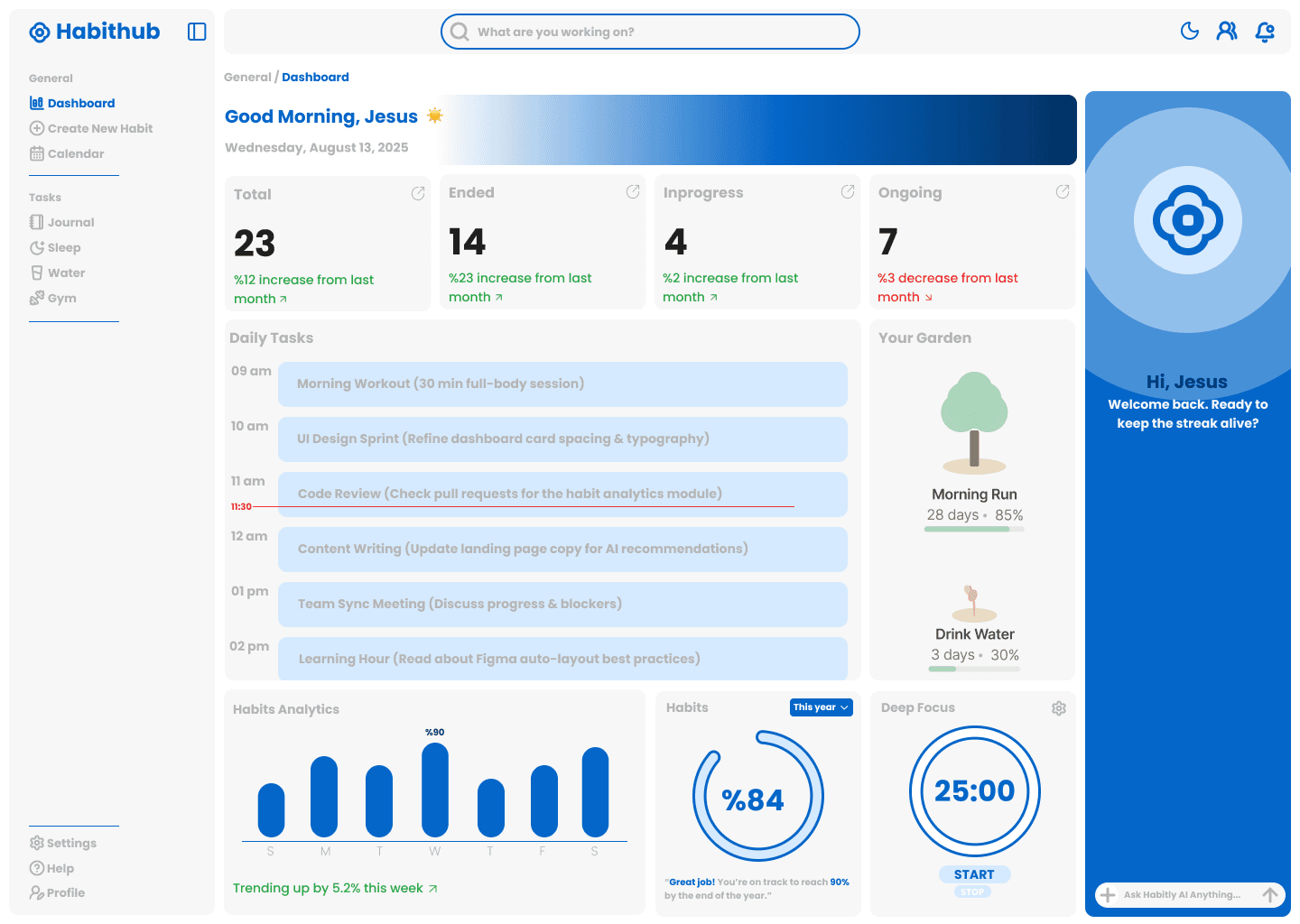
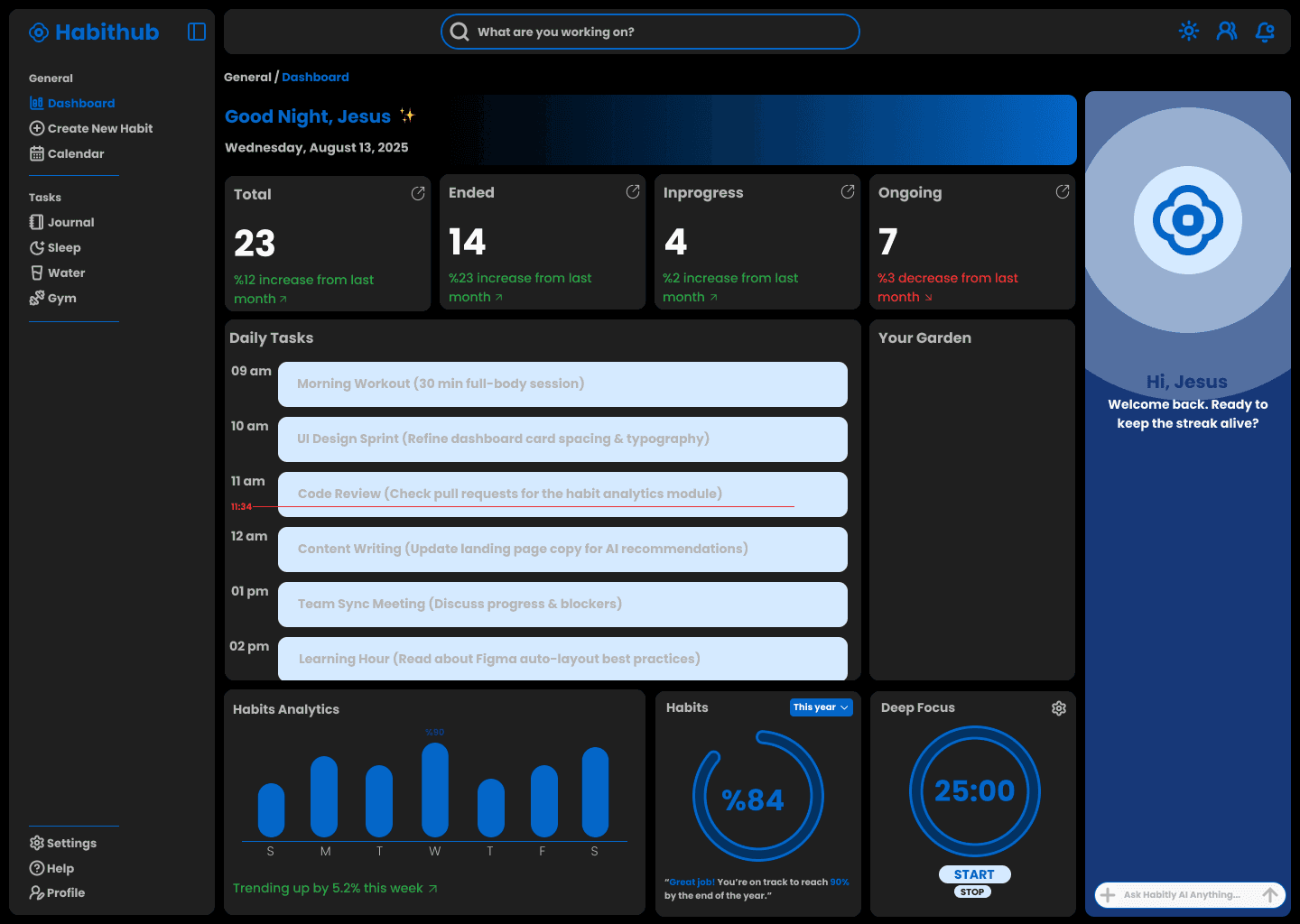
One home screen holds everything: progress stats, the day's timeline, the habit garden, analytics, a focus timer, and the Habitly AI panel — designed so the whole picture is legible at a glance.
Key design decisions
“Habitly AI” — a coach, not a settings screen
A persistent AI panel sits on the right of every screen with a single input: “Ask Habitly AI Anything…”. Instead of burying help in menus, the assistant greets the user by name, references their current streak, and is always one sentence away — reinforcing the product promise: habit tracking that works like a coach.
“Your Garden” — habits as living things
Each habit is represented as a plant: a 3-day streak is a sprout, a 28-day streak at 85% consistency is a full tree. Progress isn't an abstract percentage — it's something you've grown and don't want to let die. The metaphor turns loss aversion into positive motivation.
Analytics & Deep Focus as glanceable widgets
The dashboard pairs a weekly Habits Analytics bar chart and a yearly consistency ring with a built-in Deep Focus Pomodoro timer, so planning, reviewing and doing the work all live on one surface — no context switching to a separate timer app.
A timeline-based daily view
Daily Tasks are laid out on an hour-by-hour rail with a live current-time indicator, so the day reads as a schedule you move through rather than a flat checklist.
Light and dark as first-class themes
Both themes were designed in parallel from the start — the greeting even shifts from “Good Morning” with a sun to “Good Night” with stars — so the product feels intentional at any hour, not like a dark mode bolted on later.
Landing, pricing & sign-up
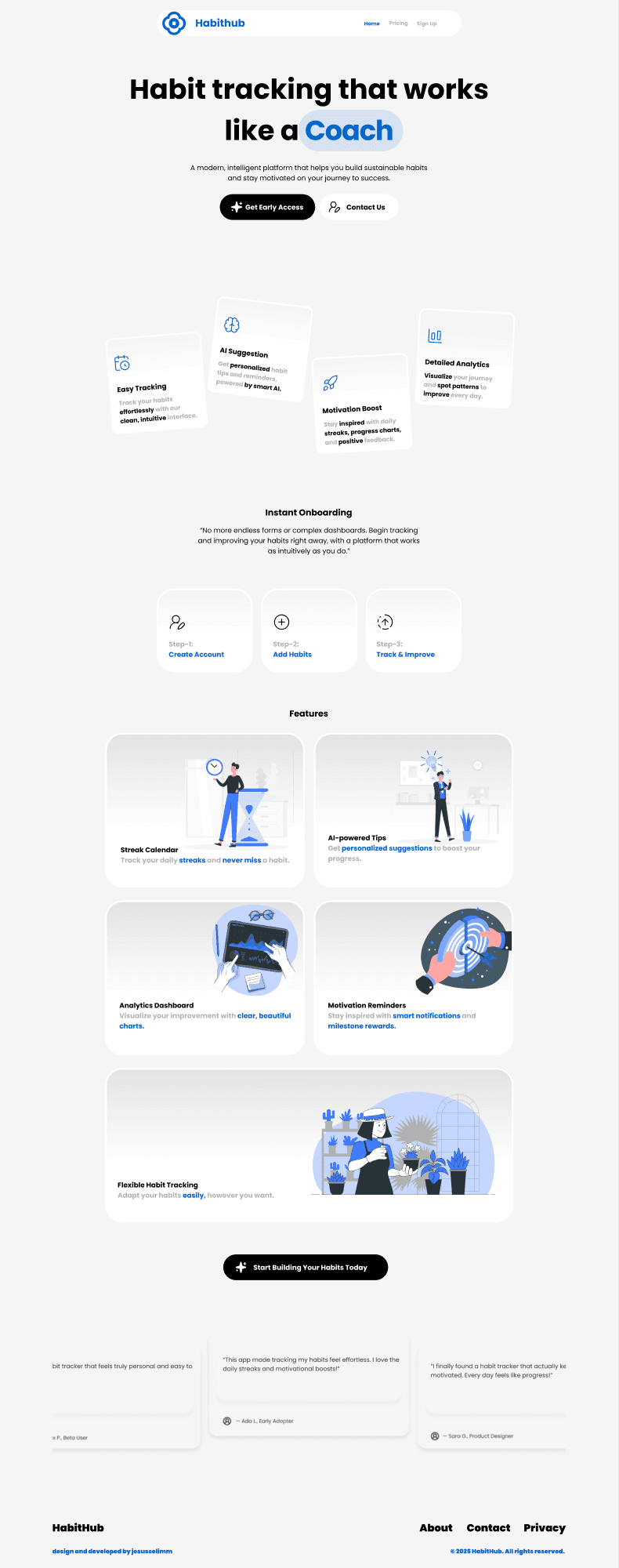
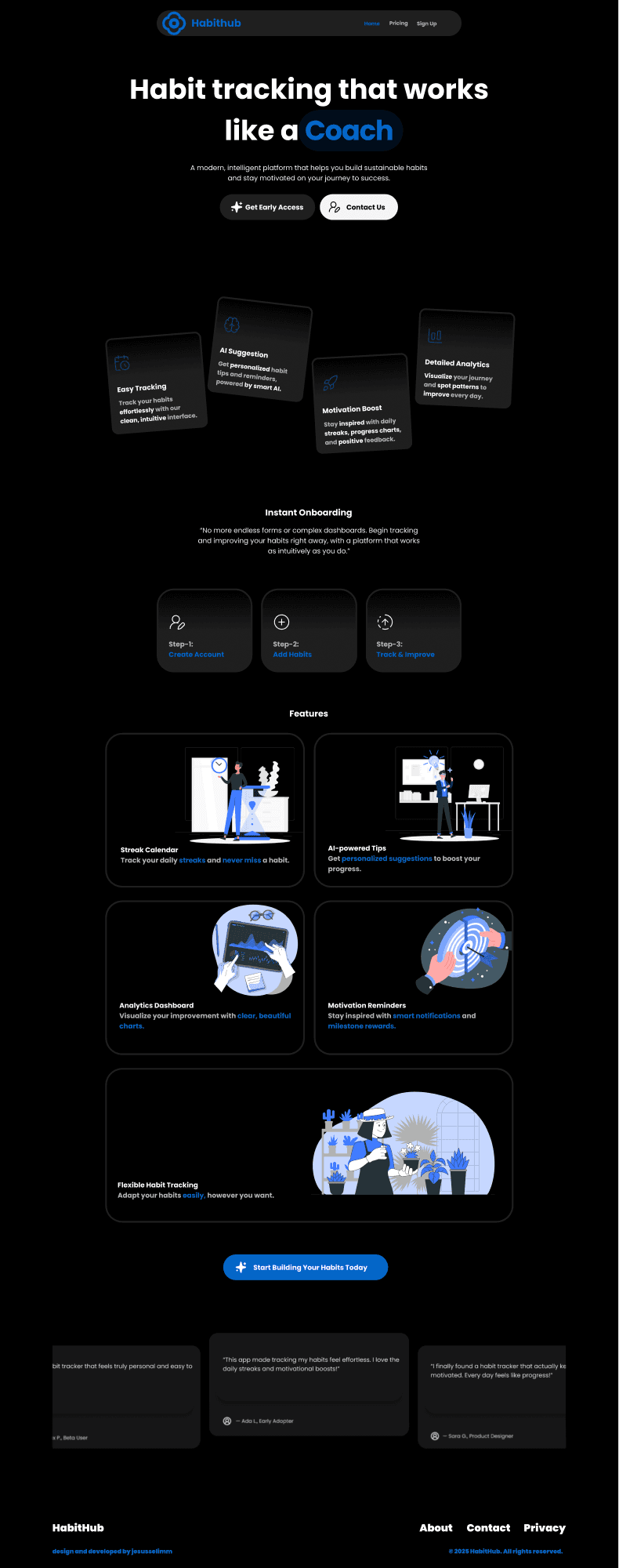
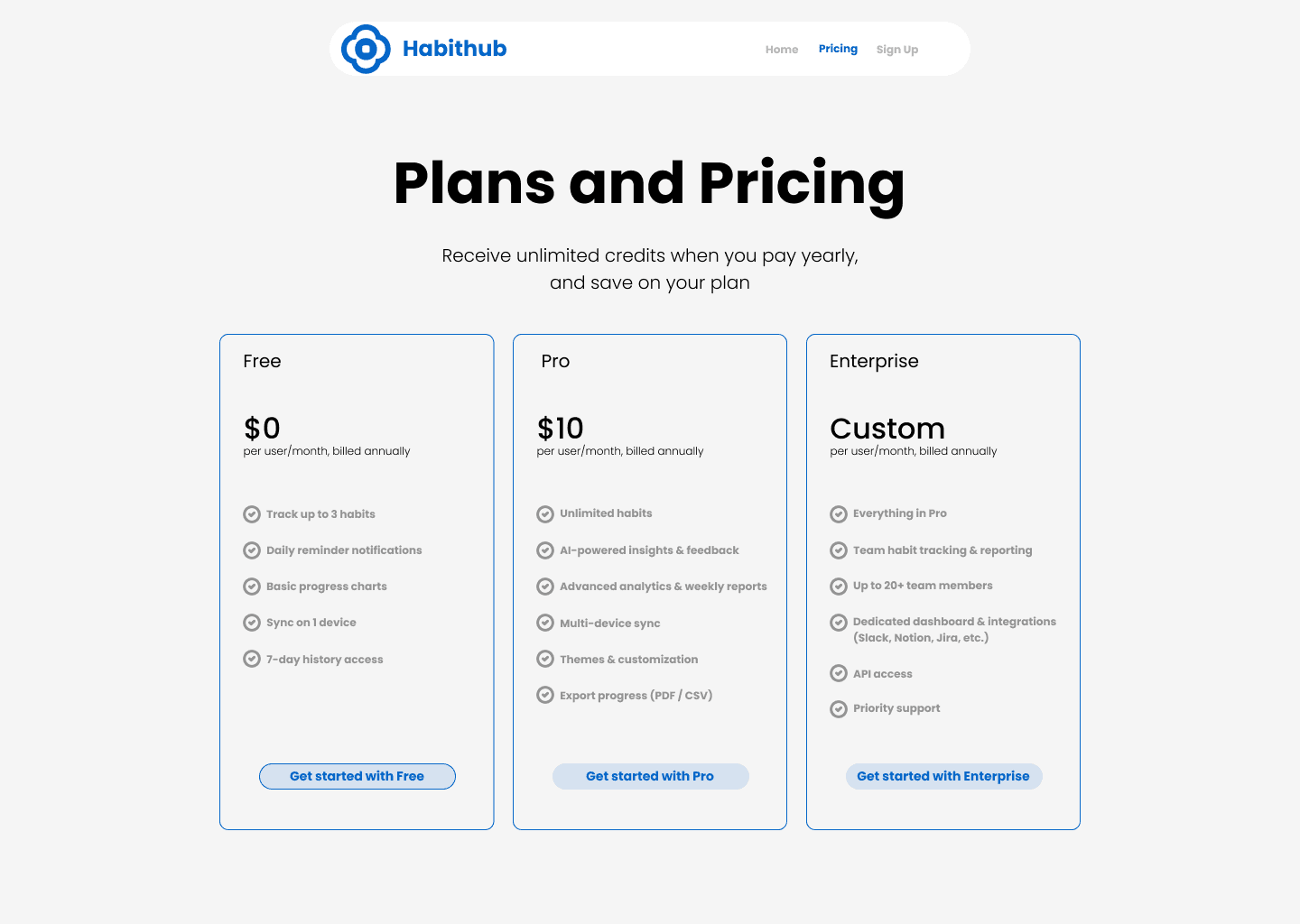
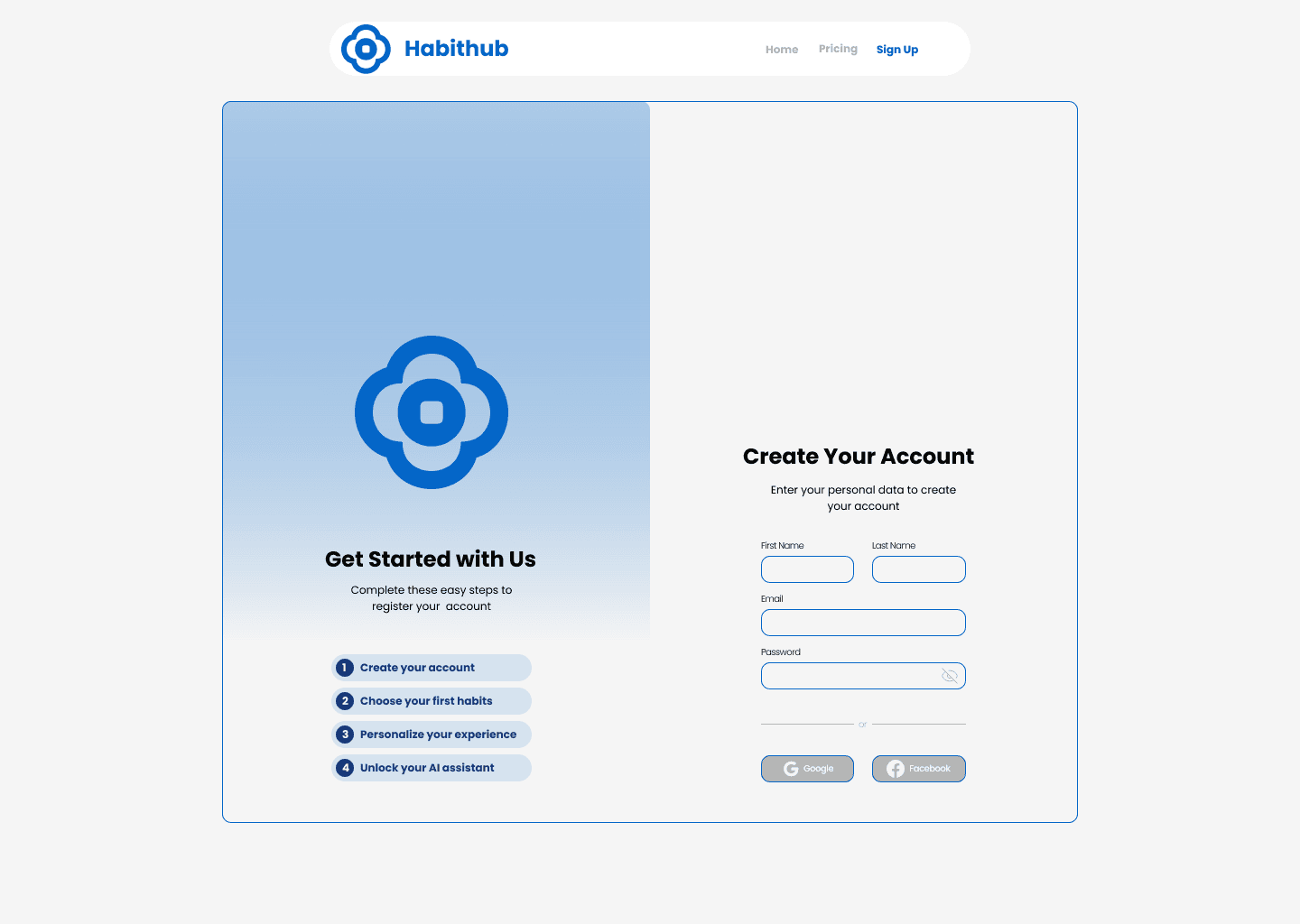
The marketing and onboarding surfaces carry the same voice as the app: a “works like a Coach” headline, a three-step “Instant Onboarding” story, and a sign-up flow that previews the four steps to a personalised setup — including unlocking the AI assistant.
Where it stands
The design system, the core dashboard and the key marketing and onboarding screens are complete in Figma across both themes.
Next: turning the dashboard into a working front-end and wiring up the Habitly AI assistant. HabitHub is an active work in progress — this page will grow as the build does.